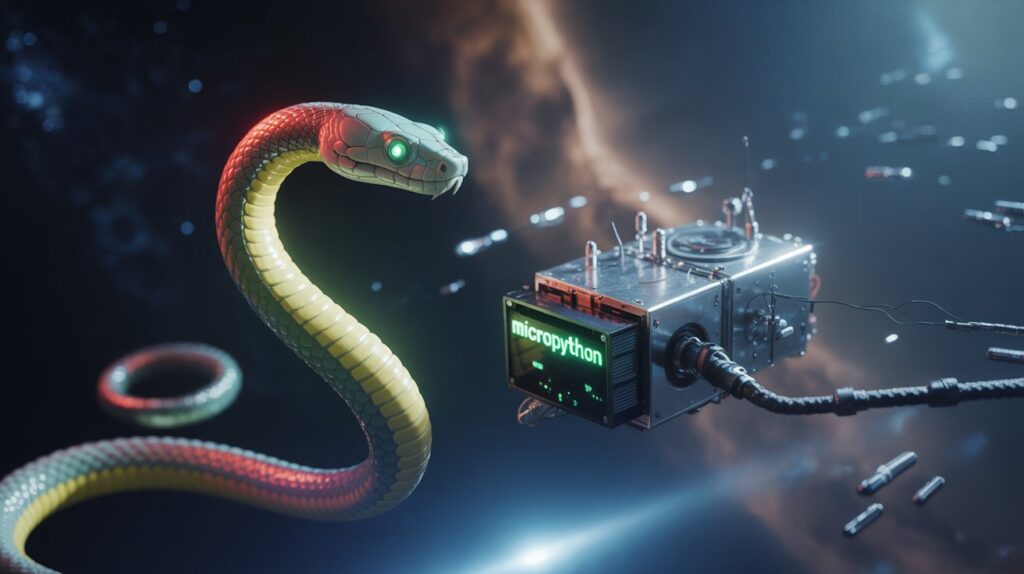
MicroPython
Bridging the Digital and Physical Worlds
There comes a moment in many developers’ journeys, after we’ve learned to pull data from the internet, manage files, and deploy our first applications (perhaps with a framework like Flask), when we feel a desire for something more… tangible. We want to feel and touch the results of our coding efforts, to see them realized into something more solid than just pixels on a screen.
This is the path that leads us into the realm of detectors, sensors, and dedicated “embedded” devices. It’s the world of IoT, of autonomous systems, probes, and robots. We find ourselves in the empire of microcontrollers – the place where code crosses the boundary between worlds, bridging the digital sphere with the physical one.
What is MicroPython? The Brains of the Operation
This is precisely the domain MicroPython was created for. In this world, we don’t have the vast power and resources of a computer. All our work runs on a simple, single-purpose microcontroller chip. We must drastically reduce our demands on the processor and memory.
MicroPython is a lean and efficient implementation of the Python 3 programming language, optimized to run on microcontrollers. It needs only ~256k of code space and ~16k of RAM to operate. It retains the key syntax and simplicity of Python, sheds the extensive standard libraries not needed for this context, and adds some new libraries essential for interacting with hardware e.g. „machine“. The result is the ability to program and communicate with electronics using a language that is famously easy to learn and use.
Mission Briefing: Your Learning Timeline
If you already have a foundation in Python, you can start using MicroPython almost immediately – the core structure, commands, and principles are essentially the same. For complete beginners, I recommend first mastering the basics of Python (you can try my free Python Foundations Course). In that case, expect to dedicate about 2-4 weeks to get up to speed with the fundamentals.
Microcontrollers: The Hardware Body for Your Code
Microcontrollers are essentially simple, specialized computers focused on a narrow set of tasks. We find them everywhere, serving as the tiny little hidden brains in everything from smart home appliances to industrial control systems. They are the physical body or a “vessel” that carries our code on its mission.
MicroPython can be used to program a wide range of these vessels. The ESP8266 and ESP32 from Espressif Systems are extremely popular, largely due to their built-in WiFi capabilities. Other great options include the Raspberry Pi Pico, PyBoard, and many Arduino-compatible boards.
For initial experiments in the world of IoT, I highly recommend starting with an ESP32 because of its power, integrated WiFi, and robust community support.
Mission Profiles: Use Cases in IoT, AI, and Data Retrieval
So, what kind of missions can you undertake with this powerful combination of a flexible language and simple hardware? The possibilities are vast, but they often fall into these key strategic areas:
IoT & Environmental Sensing: Build sensor networks that act as your “senses in the field.” Create devices that monitor temperature, humidity, air quality, or soil moisture, and transmit that data back to your base of operations for analysis. This is the foundation of the Internet of Things.
AI at the Edge (TinyML): Deploy autonomous intelligence. Thanks to its efficiency, MicroPython allows you to run optimized Machine Learning models directly on the microcontroller. This enables your probes and bots to make smart decisions locally—like recognizing a specific object through a camera or detecting an anomaly in sensor readings—without constant communication with a central server.
Automation & Robotics: Create custom bots and automated systems. From simple robotic arms to rovers that navigate obstacles, MicroPython gives you the tools to control motors, read sensors, and implement the logic for autonomous behavior, bringing your hardware creations to life.
Firmware: The Operating System for Your Expedition
The code that runs directly on a microcontroller is called firmware. The key is to think of the MicroPython firmware not just as a language interpreter, but as a complete, self-contained mission operating system for your microcontroller. A microcontroller starts as “bare metal” – it has no pre-existing OS. The MicroPython firmware you install becomes its entire world, providing everything you need:
A Python interpreter to understand and run your commands.
A direct HAL (a Hardware Abstraction Layer) to the hardware that lets Python control the chip’s pins, Wi-Fi, and other gear.
- Specialized onboard toolkits like the
machineandnetworklibraries. - Onboard storage (a filesystem) for your mission scripts (
.pyfiles).
This creates an incredibly efficient workflow. Unlike traditional embedded development (C/C++), where every small change requires you to recompile and re-flash the entire program – like rebuilding your rover for a minor course correction – with MicroPython, you install the core “OS” once. After that, you can simply upload, run, and modify your Python scripts in seconds.
Ignition Sequence: Your First Step into the Physical World
Mastering MicroPython and microcontrollers isn’t just about beeping or blinking LEDs. It’s about gaining the ability to build your own custom tools for exploration – whether it’s a simple weather station for your balcony, a sensor network to monitor a scientific base, or a prototype for a deep space probe destined for a much grander mission. It means you take the initative a start physically interact with the world around you.
Debriefing & Your Next Mission
Feel ready to see your code work in real world ? Here are some useful links to get you started:
- For Python Beginners: If you’re new to Python, I recommend starting with my free Python Foundations Course on GitHub.
- For Web & API Interaction: To understand how your future IoT devices can communicate with the web & APIs, check out my article on Micro framework Flask – Building Your Mission Control for the Web.
- Official MicroPython Download: You can find the specific firmware for your board on the official website: micropython.org/download.
- Ready to Flash? Follow my step-by-step guide: Ignition Sequence: How to Flash MicroPython onto Your ESP32

