From Raw Signal to Strategic Insight:
Building a Data Pipeline with Python
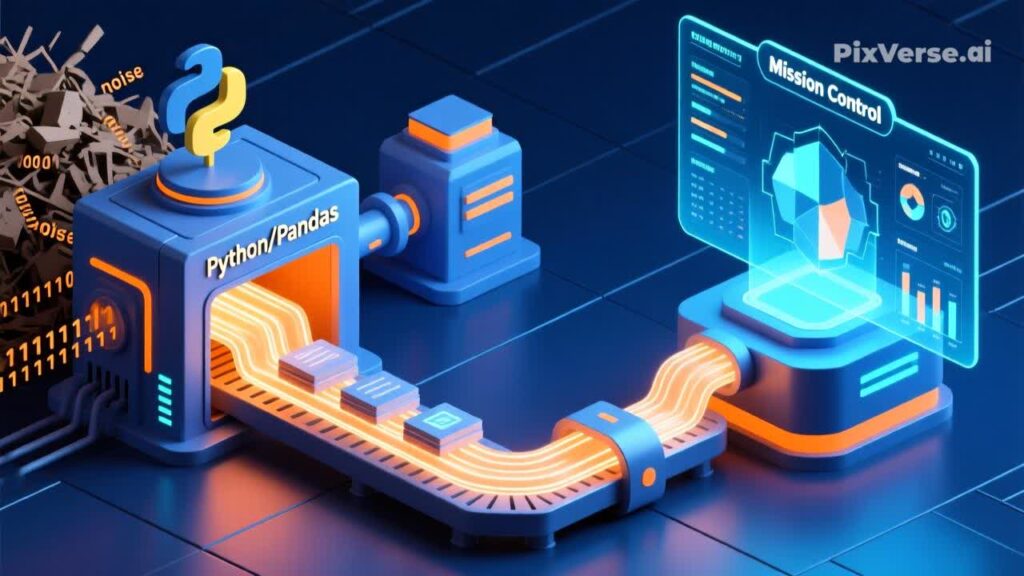
Data. Signals. A constant stream of information. Our goal isn’t just to collect it; we need to capture it, touch it, grasp it, and process it. Ultimately, we must transform this raw noise into a format where we immediately understand the story it tells.
We need to move from Data to Information to Insight – and finally, to Action.
To achieve this, we need a robust environment that allows us to work iteratively, step-by-step, turning chaos into order. Here is the operational blueprint for a modern Data Science workflow using the Python ecosystem.
The Mission Toolkit
-
Communication Language: Python
-
The Laboratory (IDE): VS Code + Jupyter Notebook extension
-
The Engine (Libraries): NumPy, Pandas, Matplotlib, and Streamlit
Why Python? It is the industry standard – easy to read, write, and understand.
Why VS Code & Jupyter? VS Code is the universal workspace. The Jupyter Notebook extension allows for iterative exploration. Unlike a standard .py script that runs from start to finish, Jupyter lets us execute specific blocks of code independently and repeatedly. It is the ideal “sandbox” for testing hypotheses and manipulating data before solidifying the logic.
The Core Libraries: Your Processing Units
Let’s break down the role of each tool in our data pipeline.
1. NumPy: The Structural Foundation Data arrives in various forms – often as raw streams from sensors or unstructured arrays.
- The Role: NumPy is the low-level engine for numerical data. It allows us to “reshape” the data. Imagine receiving a continuous serial stream of sensor readings. NumPy lets you transform that 1D stream into a structured 2D matrix (e.g., reshaping a stream of 100 data points into a 4×25 grid).
- Why learn it: While optional for high-level tasks, understanding NumPy gives you the ability to handle raw binary data and prepare it for higher-level processing.
2. Pandas: The Analytical Engine (ETL Core) Once we need to ingest data from CSVs, JSONs, or SQL databases, we turn to Pandas. It often handles the Extract phase of our pipeline, pulling raw material into memory. But its true power lies in what happens next: the heavy lifting.
-
The Role: Think of it as a programmable, high-performance Excel on steroids.
-
The Scenario: Imagine we receive a massive telemetry log from an engine test: fuel composition, ignition temperature, timing, voltage, vibration, and manufacturer ID. It’s too much noise.
-
The Process: With Pandas, we filter the signal from the noise. We select only ignition temperature and fuel type, group the results by manufacturer, and align them on a one-week timeline. This is the Transform part of the ETL (Extract, Transform, Load) process.
3. Matplotlib: Static Reconnaissance Humans are visual creatures; we process 80-90% of information visually. We need to see the result.
-
The Role: Creating static, high-quality charts and graphs.
-
The Usage: Ideal for generating reports or quick snapshots of the data. We define the axes, labels, and the form of representation (e.g., a line chart for time progression or a scatter plot for geospatial data). It answers the question: “What happened?”
4. Streamlit: The Interactive Mission Control To truly understand the data, we need to interact with it. We need a dynamic dashboard.
-
The Role: Streamlit allows us to turn our Python scripts into interactive web applications without needing frontend skills.
-
The Capability: We can add zoom, filters (e.g., switch between “Monthly” and “Daily” views), and toggles to compare different datasets (e.g., overlaying “Temperature” vs. “Energy Consumption”).
-
The Result: A deployable, online Mission Control dashboard accessible from anywhere. It answers the question: “Why did it happen, and what if we change parameter X?”
The Strategic Workflow: The ETL Pipeline
The strategy is clear. We follow a bottom-up operational procedure, effectively building an ETL (Extract, Transform, Load) Pipeline:
-
Extract (Raw Data): We capture the raw signal using Python’s
requestslibrary (for APIs) or Pandas’ I/O tools (for files/DBs), bringing the data into our environment. -
Transform (The Processing): We reshape the data structure with NumPy if needed, then move up to Pandas to clean, filter, and aggregate the specific signals we need.
-
Load/Visualize (The Delivery): Finally, we deliver the refined intelligence. We load the processed data into Matplotlib for static reporting or inject it into Streamlit for a real-time, interactive Mission Control dashboard.
A Note on Legacy Tools (Excel / PowerBI etc.)
You might ask: “Can’t I do this in Excel?” Theoretically, yes. But in standard platforms, you are limited by the constraints of the software environment.
-
Scale: For small tables, Excel is fine. But when dealing with Big Data or complex sensor logs, these tools hit a wall. Processing slows to a crawl.
-
Flexibility: Handling non-standard data formats or implementing custom logic becomes a struggle against the tool itself.
-
Independence: With Python, you are building a scalable, adaptable system, free from licensing costs and vendor lock-in. You are building a tool that grows with your data, not one that chokes on it.

