How I applied survival principles and a rapid dev stack to clear the “Fog of War” in my own marriage – and turned it into a global product.
I. The Origin: Clearing the Fog of War
It started as a personal necessity. I wanted to improve communication with my wife. I was tired of the loops of misunderstanding – the exhausting friction where intentions get lost in translation. I wanted to bring playfulness, perspective, and genuine partnership back into the mix. I didn’t want to argue against each other; I wanted us to solve problems together and be able to understand each other better.
I approached this emotional problem the same way I approach survival or coding:
- Strip away the unnecessary
- Focus on function
- Build what lasts
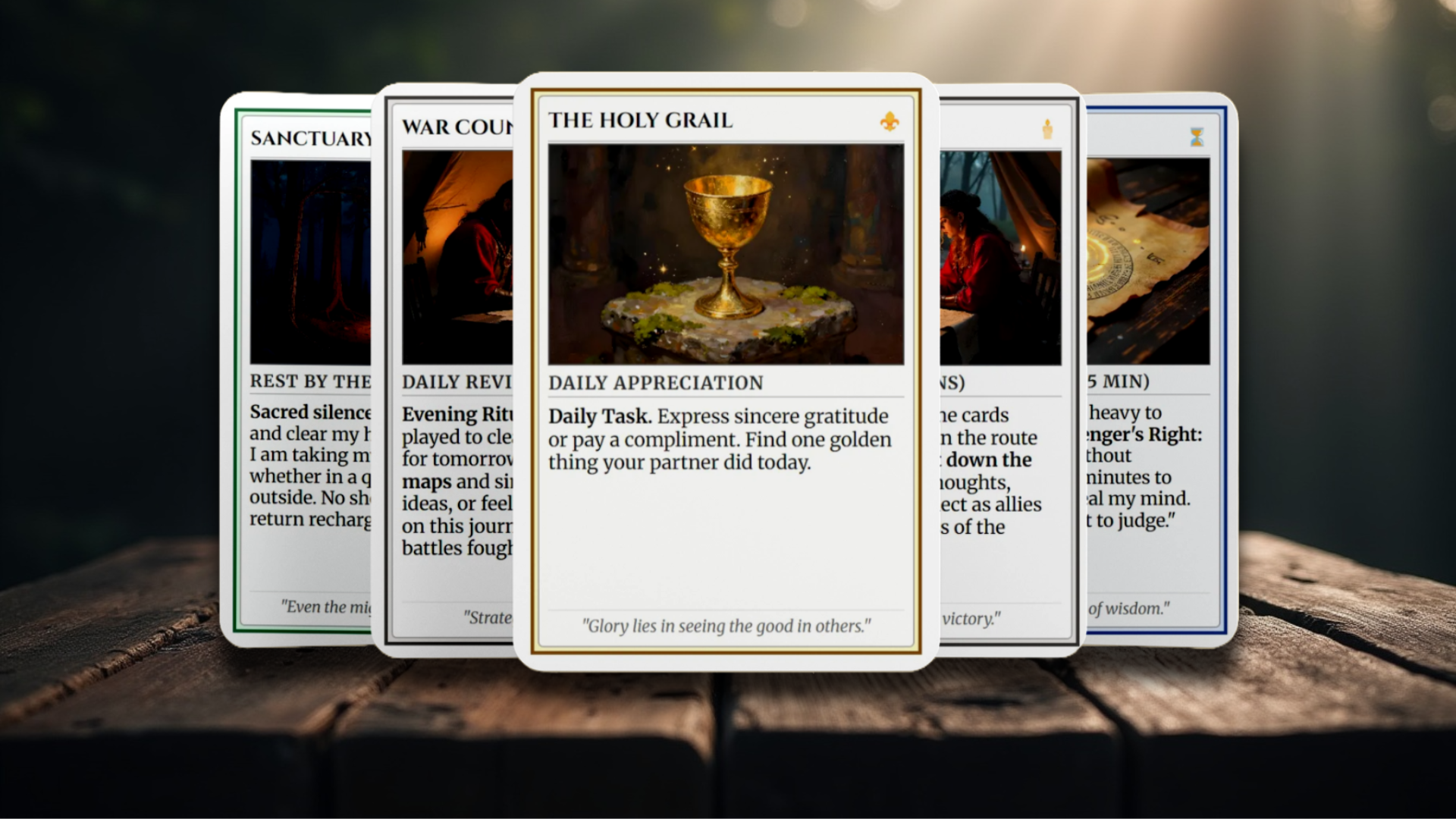
I combined my passion for board games and history with a “straight-to-the-point” mindset. The result was a playable prototype – a deck of cards designed to act as a clear, undeniable interface for our needs.
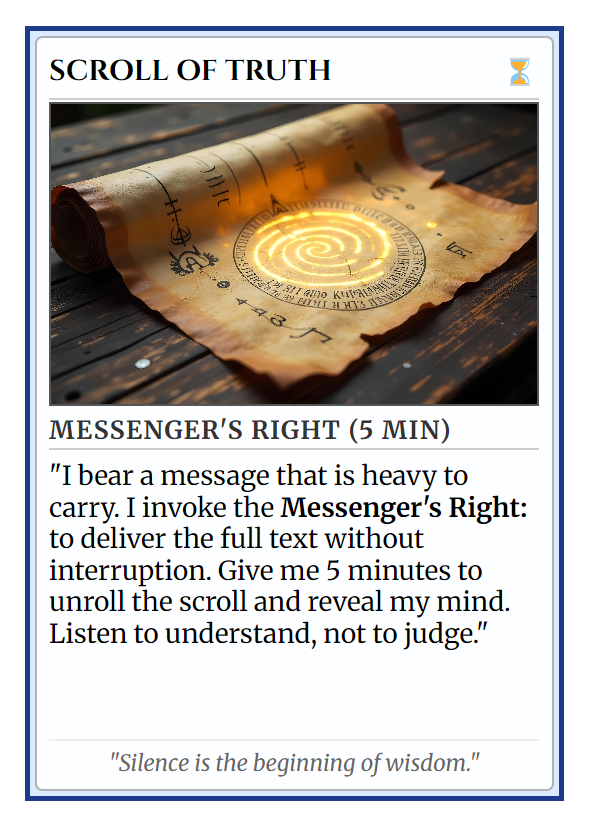
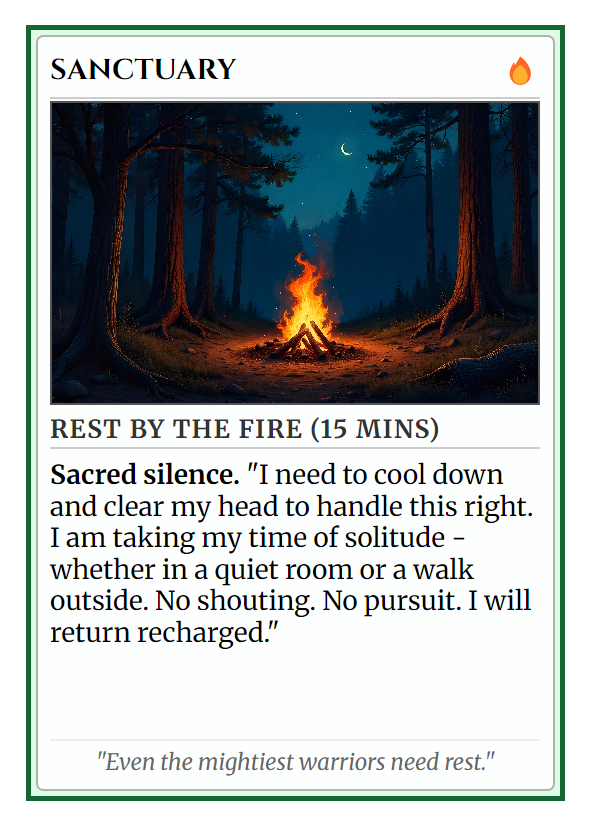
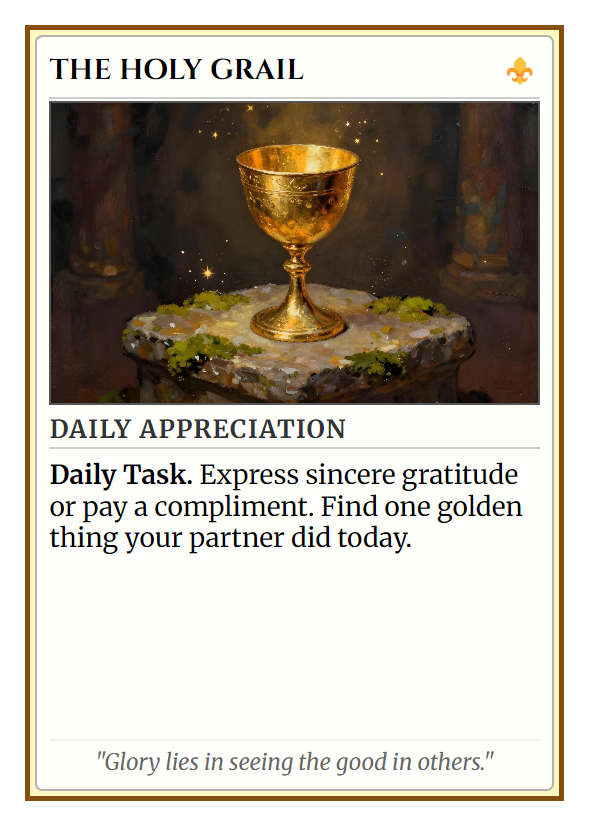
Unlike words, a card is tangible. It is physical. It cannot be misheard or reinterpreted or have a “tone”. When played – it says exactly what it means.
- Instead of snapping “leave me alone,” I play SANCTUARY. It’s not a rejection; it’s a signal that I need some time and space to recharge and don’t get overwhelmed.
- Instead of nagging about chores, we play QUEST. It turns every task into a interesting mission.
- When we want to plan, we summon the WAR COUNCIL.
It worked. The “gamification” of our partnership removed the ego from the equation. Even mundane issues became an adventure. We stopped fighting the noise and started honoring the alliance and enjoying the ride with this new way of communication.
. 
II. The Decision: From Prototype to Product
I had a system that worked. I was the “Customer Zero,” and the beta test in my own living room was a success. Looking at the market, I saw a gap. Existing tools were either focused purely on intimacy or overly heavy on deep “therapy talk.”
There was nothing for the pragmatist. Nothing for the couple that wants a tactical interface.
So, I decided to deploy this globally. My goal: Develop a downloadable, print-ready product that anyone can fabricate at home and use immediately. I gave myself a strict timeline.
“A 4-day sprint.”
III. The Build: The “Maker” Stack
Just like in software engineering, I started from the bottom—the product logic. I knew what I wanted to achieve, but I needed the infrastructure to deliver it. I chose AI @Gemini as my project assistent and co-pilot.
Here is the operational breakdown of the sprint:
1. Visuals & Prototyping
I refined the visual language of the cards using @Freepik. I needed a look that was clean, modern, and with the right atmosphere – not cartoony.
2. The Digital HQ (Web & Domain)
Without owned territory, you are just a tenant on social media. I secured the domain via @Web4U and set up hosting on @10Web to leverage their managed @WordPress capabilities. As a cherry on the top – a web favicon with @Favicon.io.
- The Process: Using AI, I rapid-prototyped the Landing Page and legal documents (Terms & Conditions). We defined the “Brand Voice” – stoic, direct, supportive – early on. This saved hours of decision fatigue later.
- The Code: While AI handled the heavy lifting, my knowledge of HTML/CSS was useful. It allowed me to work and understand the design more so I could communicate my vision better.
3. The Global Interface (Localization)
Since I am based in Peru but aiming for a wider reach, a single language was not enough. I implemented @Polylang to manage English and Spanish versions of the site. It’s a clean, lightweight WordPress plugin that effectively doubles the potential market impact without doubling the maintenance workload. I can also easily scale up and add more languages in the future.
4. The Communications Obstacle
A small but telling detail of digital nomad life: I needed a dedicated support email. Originally, I planned for Gmail. However, located in Peru with only a foreign (Czech) SIM card, I hit a wall of automated bot verifications.
- The Pivot: I capitulated on Google and switched to @Proton.me. It was set up in seconds, is far more secure, and respects privacy. A survivalist choice in the digital realm.
5. The Visual Asset Pipeline
To sell a digital product, people need to see it in the real world. I used @Canva and @Freepik to generate high-quality mockups, tweaking details until the digital file looked like a physical product on a shelf.
6. Commerce & Logistics
To complete the pipeline, I needed to accept payments.
- The Cart: I chose @SureCart, a robust and free WordPress plugin. It handled the digital file delivery logic perfectly.
- The Bank: @Stripe was the obvious choice for payment processing – reliable, multi-currency, and easy to integrate.

IV. The Bridge: Bringing it to Reality
The final step was the most satisfying. I needed to prove the concept physically.
I took my own files to a local copy center here in Lima. I selected the paper stock (integrating the paper choice into the instruction manual), printed the sheets, and sat down to cut the cards.
I photographed the result with my mobile phone on my work desk. No studio lighting, no fake polish. Just the raw atmosphere of a deployed system. This grounding in reality is essential – it bridges the gap between a PDF on a screen and a tool in your hand.

V. The Output: Operational Readiness
In 4 days, I went from a personal idea to a fully automated, globally available digital product with minimal overhead costs.
I utilized my full skill stack: programming logic, AI prompting, web design, and a survivalist mindset. I solved a “problem” (partner communication & understanding) with a system that works and is actually fun to use.
The Partner Pact project is now live. It’s not just a product; it’s a living proof to what is possible when you combine a clear vision with the discipline to execute.
—
“The Partner Pact – System Engineered for Relationship Resilience.”
Link to Project: ThePartnerPact.com


